age_free_text <- list(
  "I go by Alex. 42 years on this planet and counting.",
  "Pleased to meet you! I'm Jamal, age 27.",
  "They call me Li Wei. Nineteen years young.",
  "Fatima here. Just celebrated my 35th birthday last week.",
  "The name's Robert - 51 years old and proud of it.",
  "Kwame here - just hit the big 5-0 this year."
)Programming with LLMs
Lecture 20
Dr. Benjamin Soltoff
Cornell University
INFO 5001 - Fall 2026
November 5, 2026
Announcements
Announcements
- Discussion section tomorrow
Learning objectives
- Understand the difference between LLM providers and models
- Choose appropriate models for different tasks
- Handle multi-modal inputs (images, PDFs)
- Extract structured data from LLM responses
- Perform parallel and batch LLM calls for efficiency
Application exercise
ae-18
Instructions
- Go to the course GitHub org and find your
ae-18(repo name will be suffixed with your GitHub name). - Clone the repo in Positron, run
renv::restore()to install the required packages, open the Quarto document in the repo, and follow along and complete the exercises. - Render, commit, and push your edits by the AE deadline – end of the day
🔓 Decrypt the .Renviron.secret → .Renviron
source("secret.R")- The special phrase is:
info-5001
Providers and Models
- Provider
- company that hosts and serves models
- Model
- a specific LLM with particular capabilities


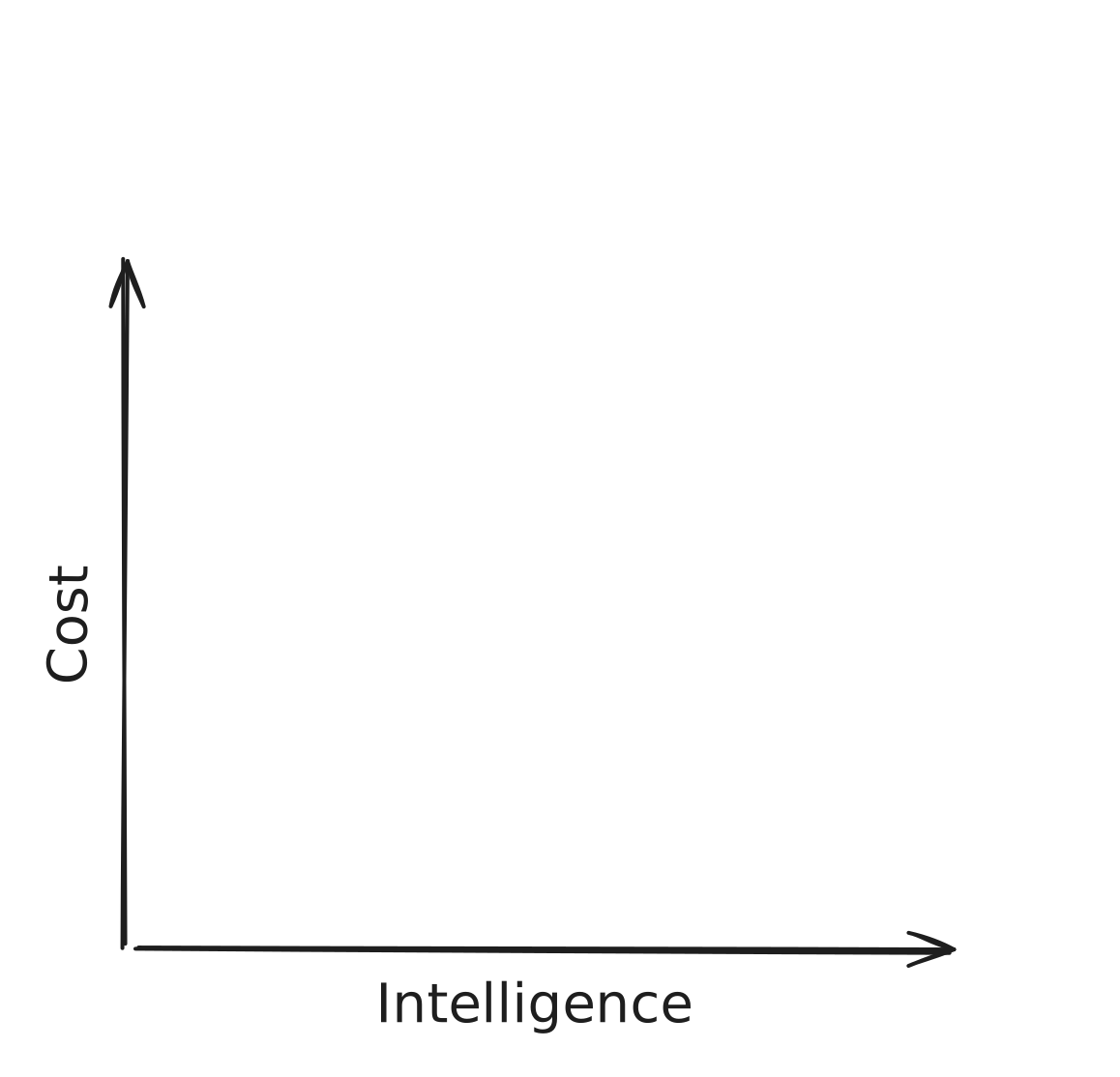
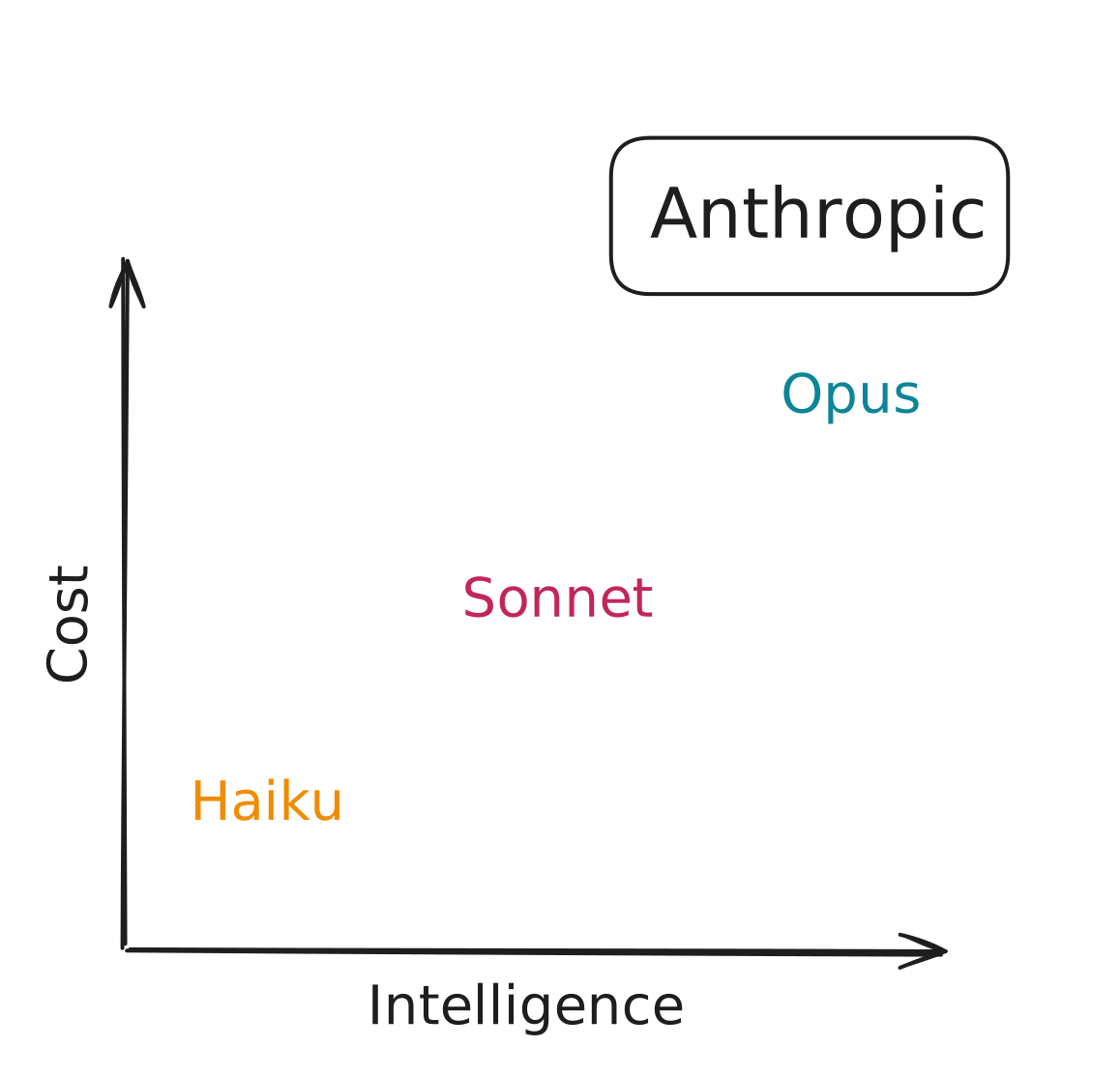
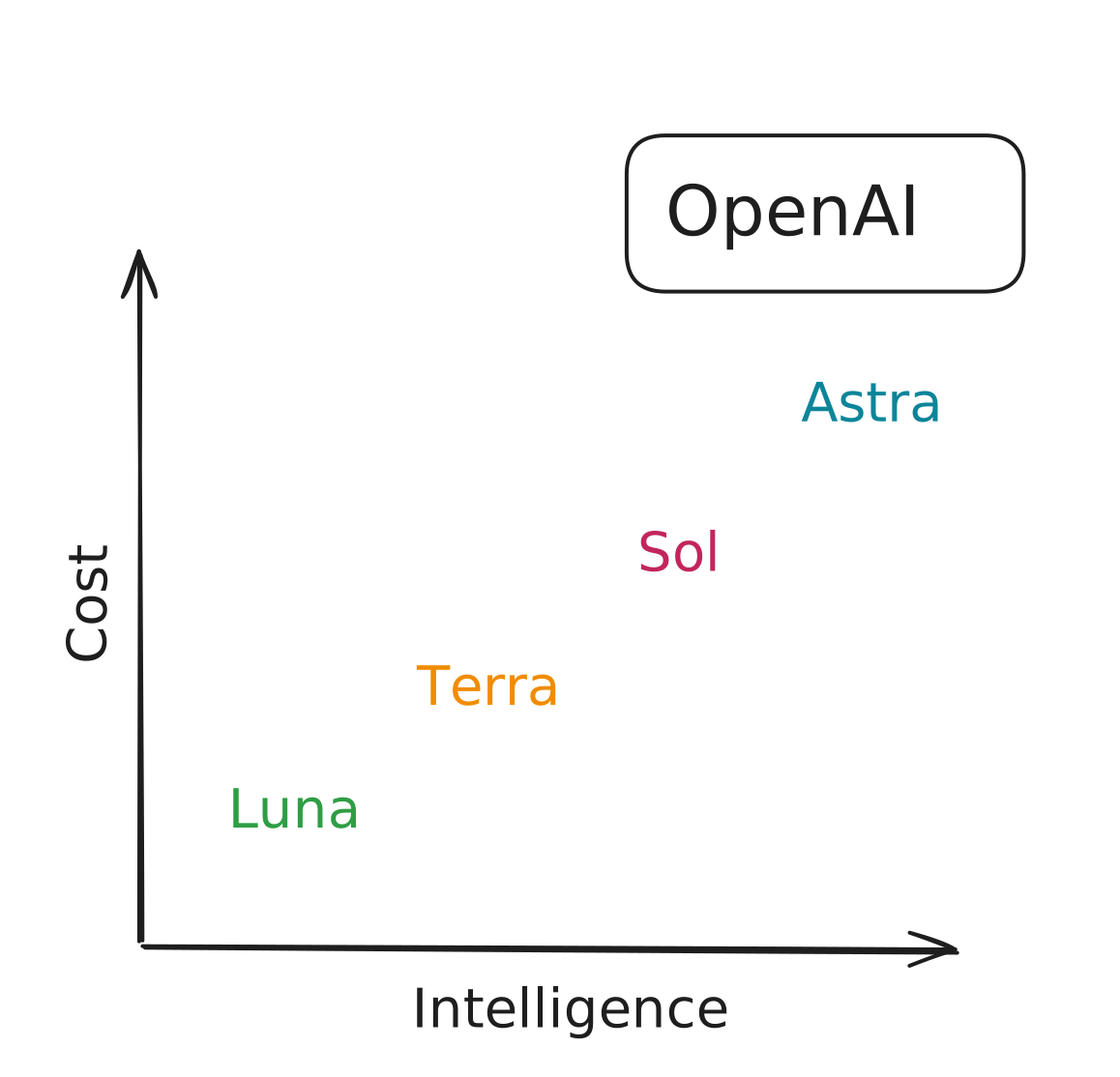
How are models different?
- Content: How many tokens can you give the model?
- Speed: How many tokens per second?
- Cost: How much does it cost to use the model?
- Intelligence: How “smart” is the model?
- Capabilities: Vision, reasoning, tools, etc.
Open-weight and local models
- Open-weight means the trained weights are available to download under a license
- Run them locally, self-host them, or use a service like Hugging Face
- Some models are small enough to run on your laptop. Larger models require more memory or specialized hardware
- LM Studio and Ollama are common tools for running models locally
Artificial Analysis (artificialanalysis.ai)
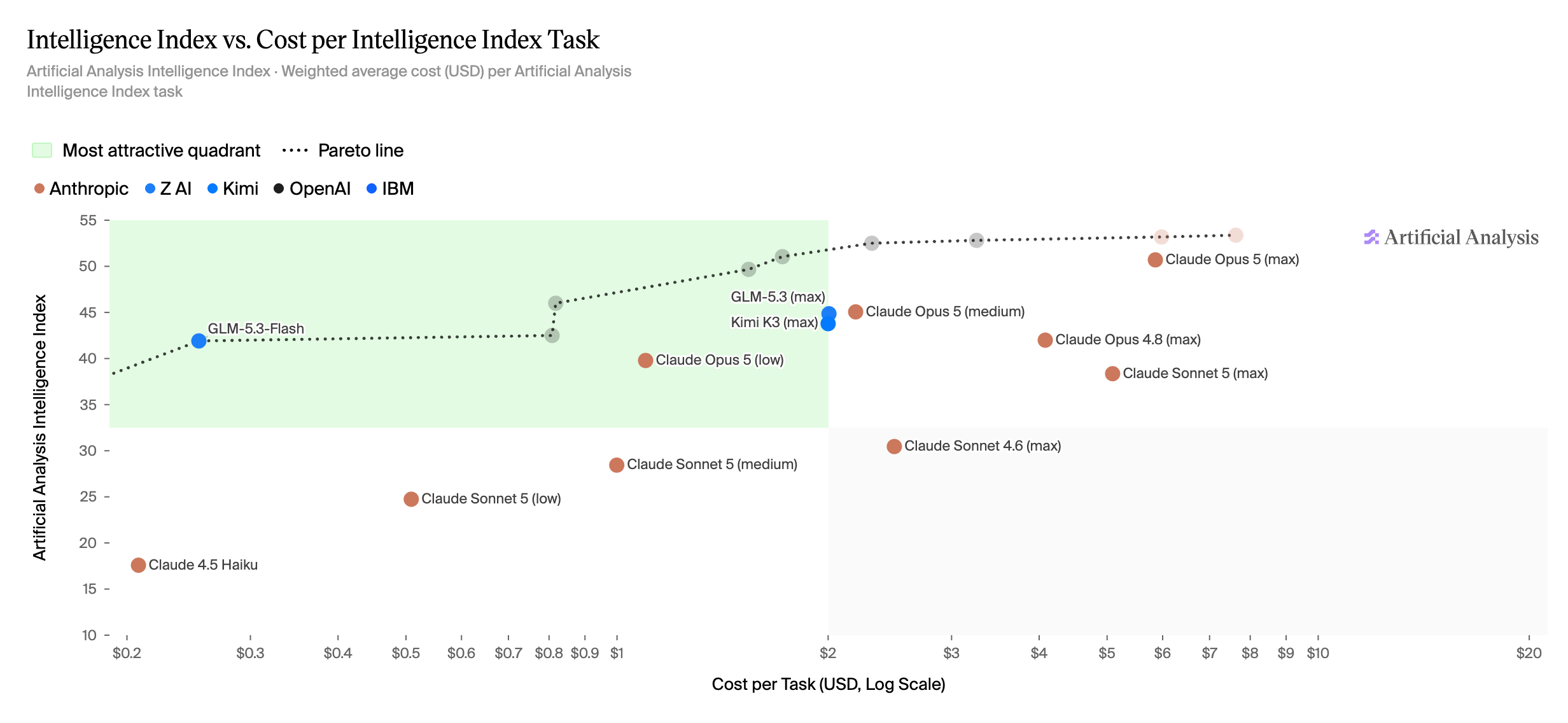
Start capable, then test smaller
- Start with a recent model that supports the capabilities you need.
- Try a faster or cheaper model.
- Keep the smaller model if it performs well on your task.

Providers
chat_openai()chat_claude()chat_google_gemini()
Local models
chat_ollama()chat_huggingface()
Enterprise
chat_aws_bedrock()chat_databricks()chat_openai_compatible(base_url = "https://api.ai.it.cornell.edu/v1")
Chat in Easy Mode
Chat in Easy Mode
Chat in Easy Mode
Chat in Easy Mode
⌨️ 07_models
Instructions
Use {ellmer} to list available models from Anthropic and OpenAI.
Send the same prompt to different models and compare the responses.
Feel free to change the prompt!
04:00
Favorite models for exercises
- OpenAI
gpt-6-lunagpt-5.6-terra
- Anthropic
claude-sonnet-4-6claude-haiku-4-5-20251001
Multi-modal input
A picture is worth a thousand words
Or for an LLM, a picture is roughly 227 words, or 170 tokens.

🌆 content_image_file
🐈 content_image_url
⌨️ 08_vision
Instructions
I’ve put some images of food in the
data/recipes/imagesfolder.Your job: show the food to the LLM and see if it gets hungry.
05:00
📑 content_pdf_file
📑 content_pdf_url
⌨️ 09_pdf
Instructions
We have the actual recipes as PDFs in the
data/recipes/pdffolder.Your job: ask the LLM to convert the recipes to markdown.
05:00
Structured output
How would you extract name and age?
If you wrote R code, it might look like this…
word_to_num <- function(x) {
  # normalize
  x <- tolower(x)
  # direct numbers
  if (grepl("\\b\\d+\\b", x)) {
    return(as.integer(regmatches(x, regexpr("\\b\\d+\\b", x))))
  }
  # hyphenated like "5-0"
  if (grepl("\\b\\d+\\s*-\\s*\\d+\\b", x)) {
    parts <- as.integer(unlist(strsplit(
      regmatches(x, regexpr("\\b\\d+\\s*-\\s*\\d+\\b", x)),
      "\\s*-\\s*"
    )))
    return(10 * parts[1] + parts[2])
  }
  # simple word numbers
  ones <- c(
    zero = 0,
    one = 1,
    two = 2,
    three = 3,
    four = 4,
    five = 5,
    six = 6,
    seven = 7,
    eight = 8,
    nine = 9,
    ten = 10,
    eleven = 11,
    twelve = 12,
    thirteen = 13,
    fourteen = 14,
    fifteen = 15,
    sixteen = 16,
    seventeen = 17,
    eighteen = 18,
    nineteen = 19
  )
  tens <- c(
    twenty = 20,
    thirty = 30,
    forty = 40,
    fifty = 50,
    sixty = 60,
    seventy = 70,
    eighty = 80,
    ninety = 90
  )
  # e.g., "nineteen"
  if (x %in% names(ones)) {
    return(ones[[x]])
  }
  # e.g., "thirty five" or "thirty-five"
  x2 <- gsub("-", " ", x)
  parts <- strsplit(x2, "\\s+")[[1]]
  if (
    length(parts) == 2 && parts[1] %in% names(tens) && parts[2] %in% names(ones)
  ) {
    return(tens[[parts[1]]] + ones[[parts[2]]])
  }
  if (length(parts) == 1 && parts[1] %in% names(tens)) {
    return(tens[[parts[1]]])
  }
  return(NA_integer_)
}

# Extract name candidates
extract_name <- function(s) {
  # patterns that introduce a name
  pats <- c(
    "I go by\\s+([A-Z][a-z]+)",
    "I'm\\s+([A-Z][a-z]+(?:\\s+[A-Z][a-z]+)?)",
    "They call me\\s+([A-Z][a-z]+(?:\\s+[A-Z][a-z]+)?)",
    "^([A-Z][a-z]+) here",
    "The name's\\s+([A-Z][a-z]+)",
    "^([A-Z][a-z]+)\\s" # fallback: leading capital word
  )
  for (p in pats) {
    m <- regexpr(p, s, perl = TRUE)
    if (m[1] != -1) {
      return(sub(p, "\\1", regmatches(s, m)))
    }
  }
  NA_character_
}

# Extract age phrases and convert to number
extract_age <- function(s) {
  # capture common age phrases around a number
  m <- regexpr(
    "(\\b\\d+\\b|\\b\\d+\\s*-\\s*\\d+\\b|\\b[Nn][a-z-]+\\b)\\s*(years|year|birthday|young|this)",
    s,
    perl = TRUE
  )
  if (m[1] != -1) {
    token <- sub(
      "(years|year|birthday|young|this)$",
      "",
      trimws(substring(s, m, m + attr(m, "match.length") - 1))
    )
    return(word_to_num(token))
  }
  # handle pure word-number without trailing keyword (e.g., "Nineteen years young." handled above)
  m2 <- regexpr("\\b([A-Z][a-z]+)\\b\\s+years", s, perl = TRUE)
  if (m2[1] != -1) {
    token <- tolower(sub("\\s+years.*", "", regmatches(s, m2)))
    return(word_to_num(token))
  }
  # handle hyphenated "big 5-0"
  m3 <- regexpr("big\\s+(\\d+\\s*-\\s*\\d+)", s, perl = TRUE)
  if (m3[1] != -1) {
    token <- sub("big\\s+", "", regmatches(s, m3))
    return(word_to_num(token))
  }
  NA_integer_
}
If you wrote R code, it might look like this…
[[1]]
[1] "I go by Alex. 42 years on this planet and counting."

[[2]]
[1] "Pleased to meet you! I'm Jamal, age 27."

[[3]]
[1] "They call me Li Wei. Nineteen years young."

[[4]]
[1] "Fatima here. Just celebrated my 35th birthday last week."

[[5]]
[1] "The name's Robert - 51 years old and proud of it."

[[6]]
[1] "Kwame here - just hit the big 5-0 this year."😬 not great, gpt-5.
But if you ask an LLM…
But if you ask an LLM…
Wouldn’t this be nice?
Structured chat output
Structured chat output
Structured chat output
{ellmer}’s type functions
⌨️ 10_structured-output
Instructions
We also have text versions of the recipes in
data/recipes/txt.Use
ellmer::type_*()to extract structured data from the recipe you used in activity 09.I’ve given you the expected structure, you just need to implement it.
07:00
Parallel and batch calls
Structured chat output
Structured chat output
Structured chat output
Parallel chat calls
Parallel chat calls
Parallel chat calls
Batch chat calls
Batch chat calls
Batch chat calls
Batch vs. parallel
Parallel
Sends ordinary requests at the same time
Returns results during the current session
Uses ordinary per-request pricing
Batch
Uploads requests to a provider-managed queue
May take up to 24 hours
Often has lower per-token pricing
⌨️ 11_batch
Instructions
Take your
type_recipeorRecipemodel from activity 10…And apply it to all the text recipes in
data/recipes/txt.Use parallel processing with
gpt-6-lunafrom OpenAI.Use the Batch API with Claude 4.5 Haiku from Anthropic.
Save the results to
data/recipes/recipes.jsonand try out the Shiny recipe cookbook app!
07:00
Wrap-up
Recap
- LLM providers and models have different capabilities, costs, and speeds
- Choose models based on task requirements
- Multi-modal inputs allow LLMs to process images and PDFs
- Structured output can be achieved using type definitions
- Parallel and batch calls improve efficiency for large-scale LLM tasks
Acknowledgments
- Materials derived in part from Programming with LLMs and licensed under a Creative Commons Attribution 4.0 International (CC BY) License.