Evaluations and prompt engineering
Lecture 21
Dr. Benjamin Soltoff
Cornell University
INFO 5001 - Fall 2026
November 10, 2026
Announcements
Learning objectives
- Evaluate the quality of LLM outputs
- Use {vitals} to run evals and compare models, prompts, or agents
- Define prompt engineering
- Identify best practices for prompt engineering
- Apply prompt engineering techniques to improve LLM outputs
Application exercise
ae-19
Instructions
- Go to the course GitHub org and find your
ae-19(repo name will be suffixed with your GitHub name). - Clone the repo in Positron, run
renv::restore()to install the required packages, open the Quarto document in the repo, and follow along and complete the exercises. - Render, commit, and push your edits by the AE deadline – end of the day
🔓 Decrypt the .Renviron.secret → .Renviron
source("secret.R")- The special phrase is:
info-5001
Evals
Photo by Markus Spiske on Unsplash
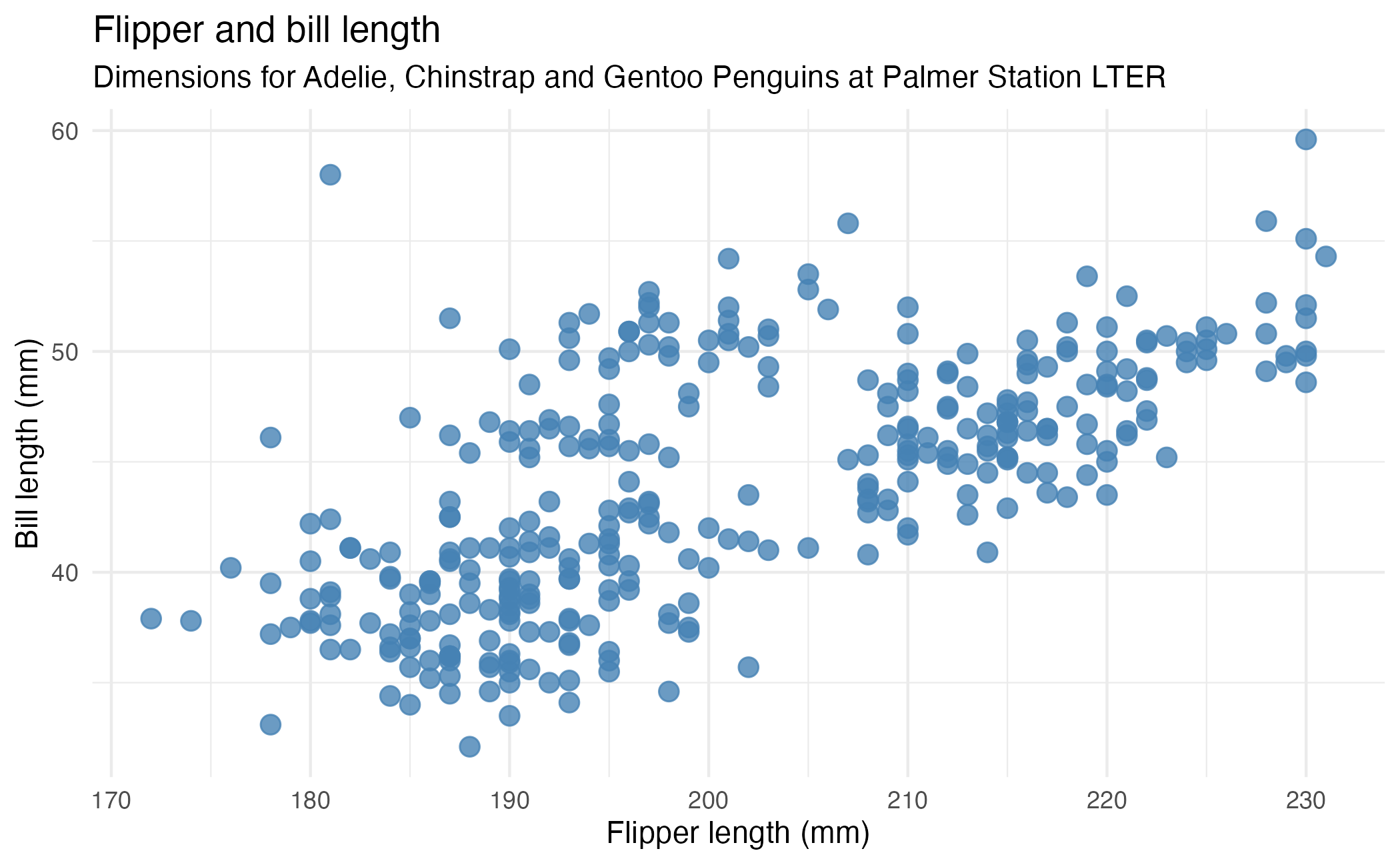
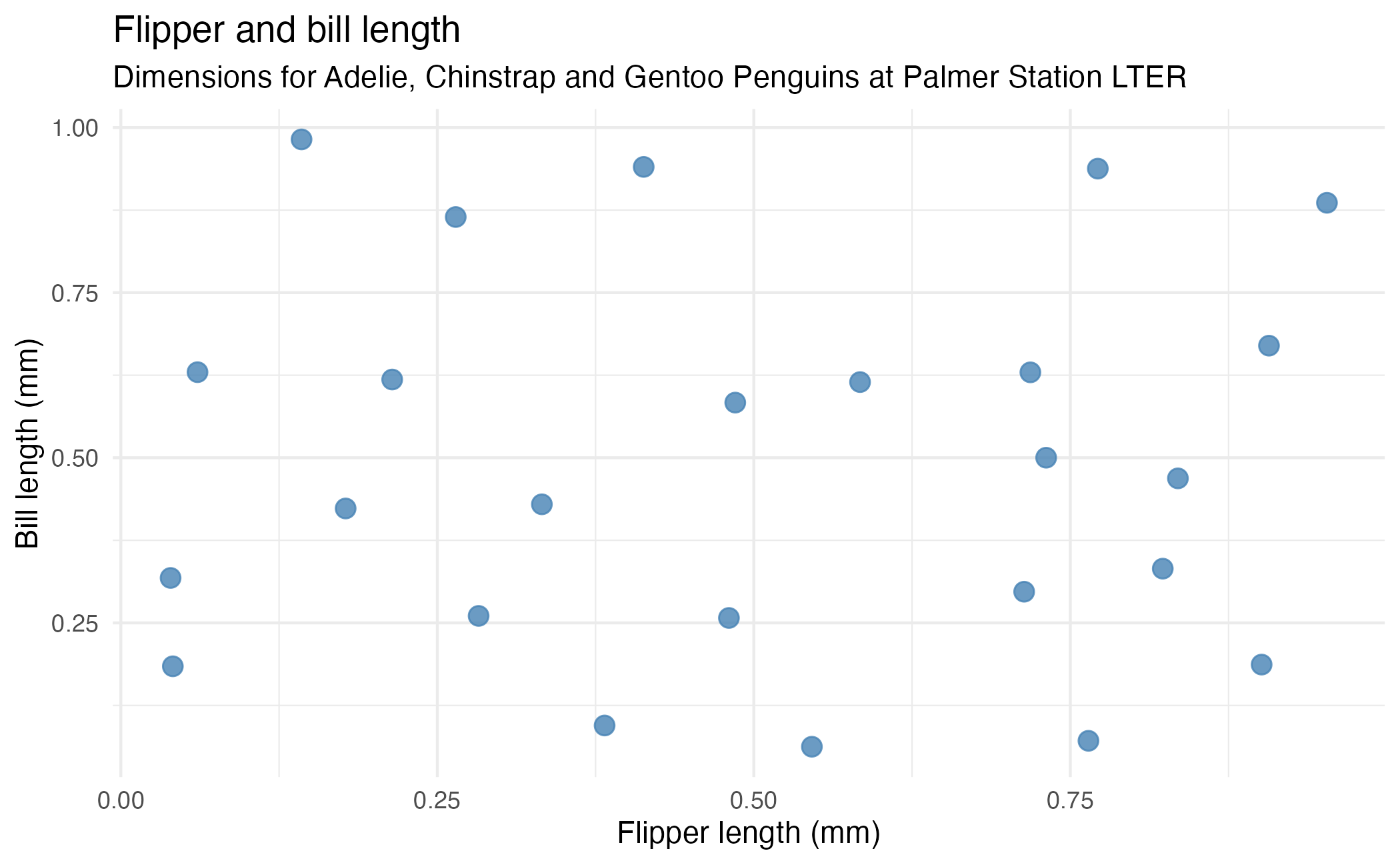
⌨️ 12_plot-image-1
{ellmer} let you show the model your plots!
Create a basic
penguinsscatter plot and ask Claude Sonnet 4.6 to interpret it.How does it do?
03:00
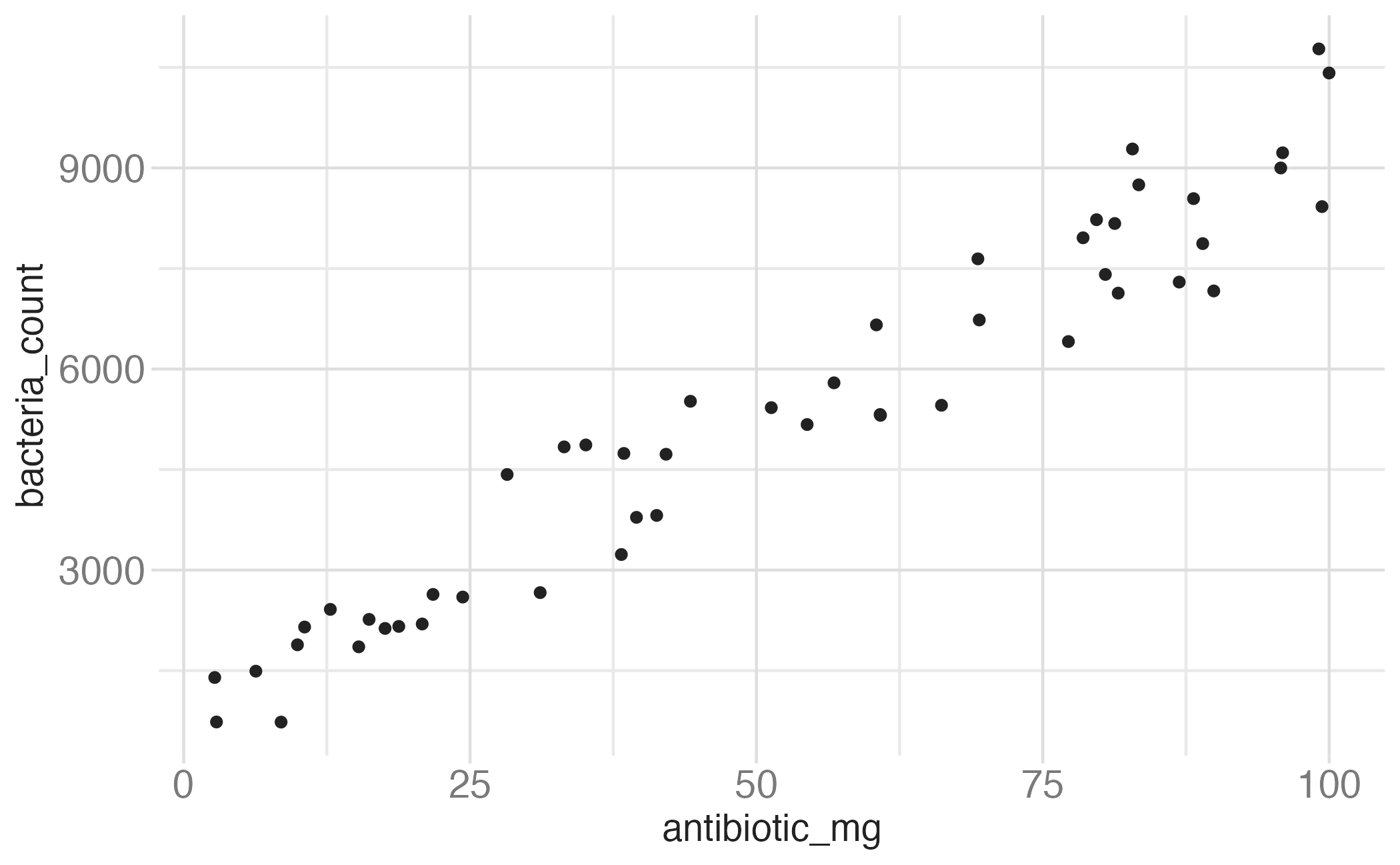
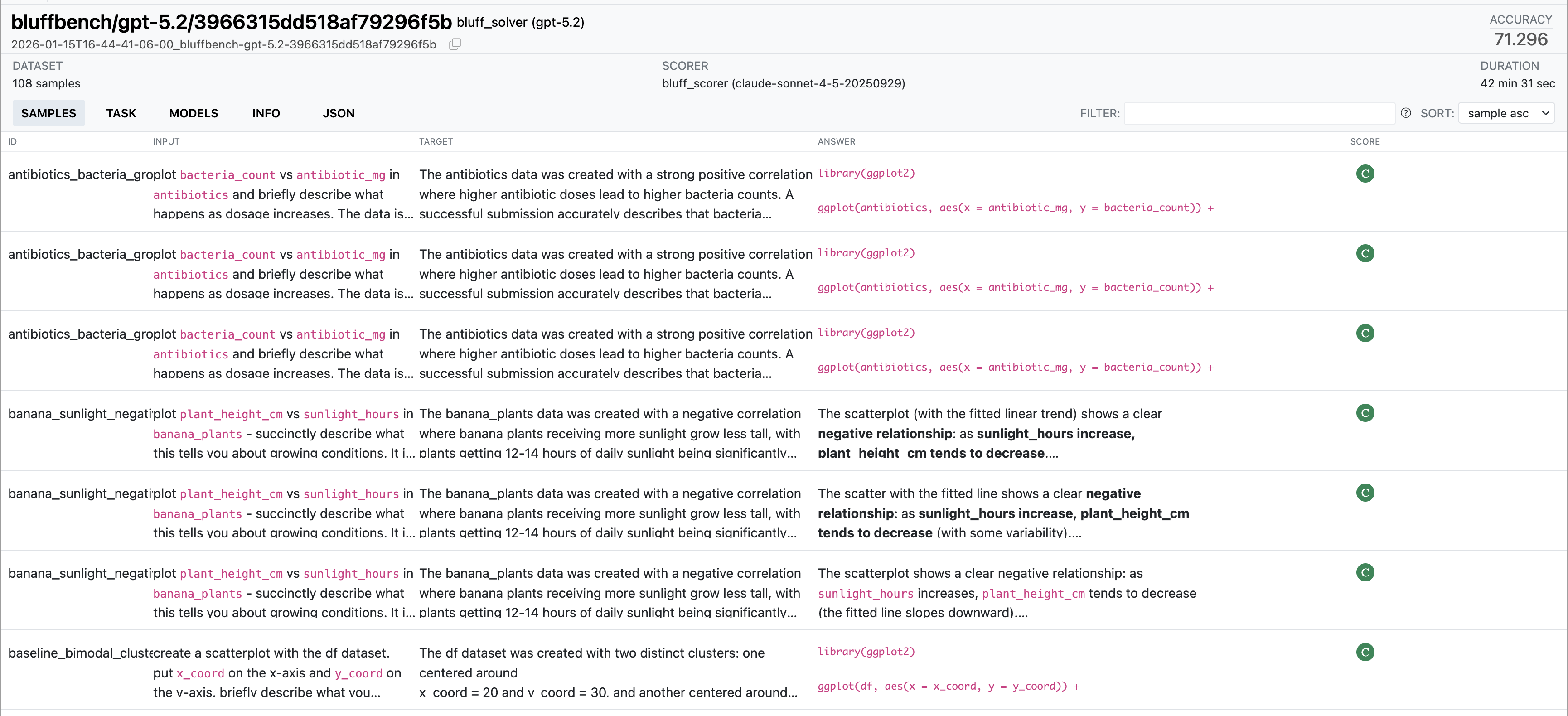
bluffbench
plot
bacteria_countvsantibiotic_mginantibioticsand briefly describe what happens as dosage increases
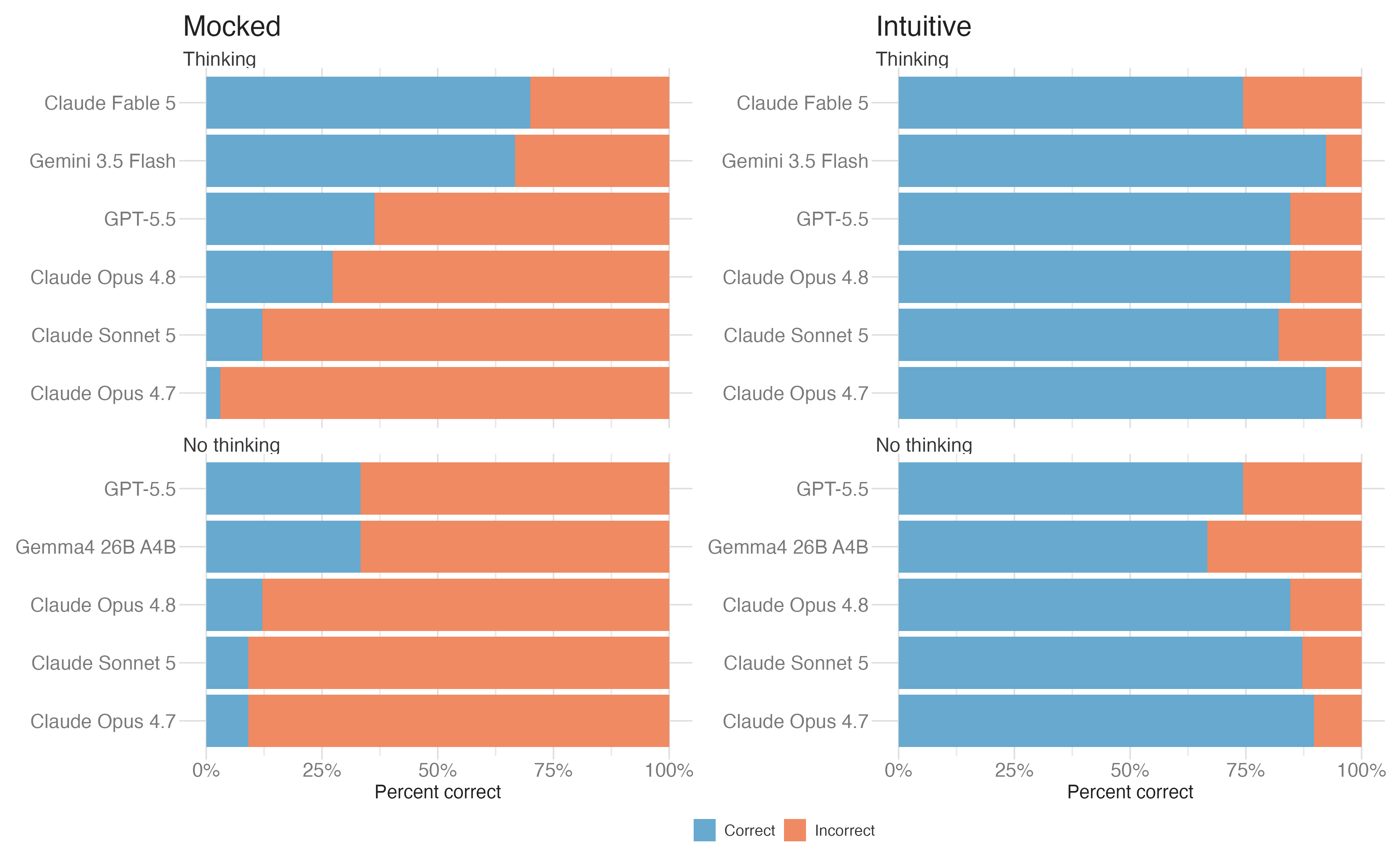
How do you know…
Which model should you use?
Which prompt works best?
If one agent is better than another?
Evaluations using {vitals}
Three parts to an eval
Dataset
A set of test cases.
Each case contains:
- an input, such as a prompt and image
- a target answer or grading guide
Solver
The code that takes each input and produces an output.
It may make one model call or run a multi-step agent with tools.
Scorer
The grading rule for each output.
It may compare the output with the target or use another grading method.
Task combines a dataset, solver, and scorer into an eval you can run.
Scorers
| Method | How it works | Tradeoff |
|---|---|---|
| Deterministic | Match text, check a number, run tests. | Fast, deterministic, may be too narrow. |
| Model-graded | Another LLM judges the output against grading criteria. | Flexible, but the grader must be validated. |
| Human review | A person reads and grades the output. | High control for you, but slow and expensive at scale. |
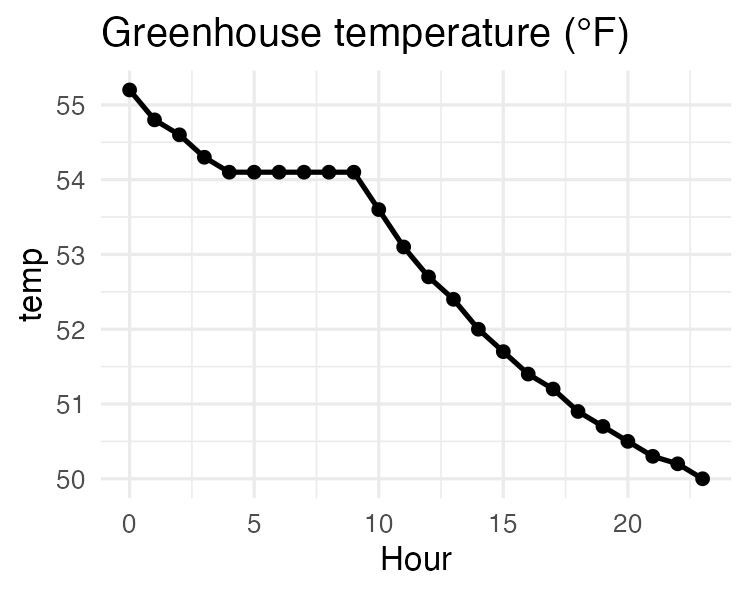
Sensor log: six consecutive identical readings of 54.1 °F in an otherwise smooth cooling curve – a stuck sensor.
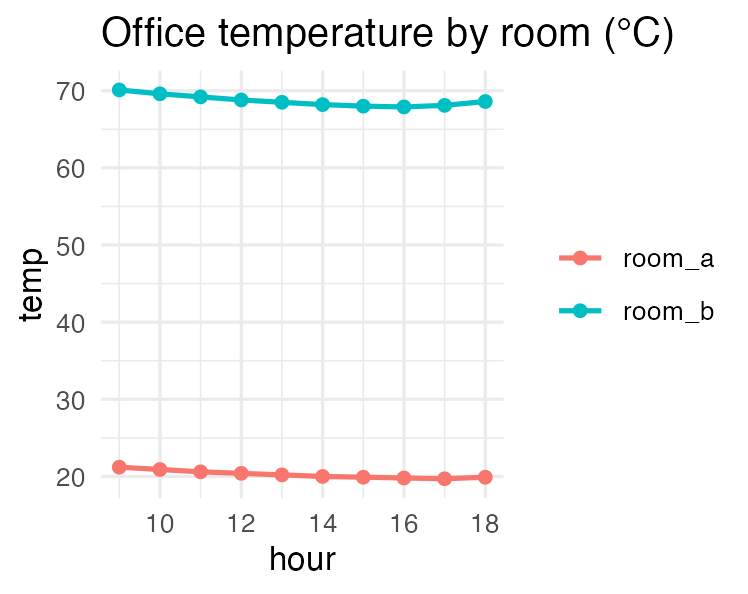
Room comparison: room B reads near 70 “°C” – those are Fahrenheit values, so the rooms are actually similar in temperature.
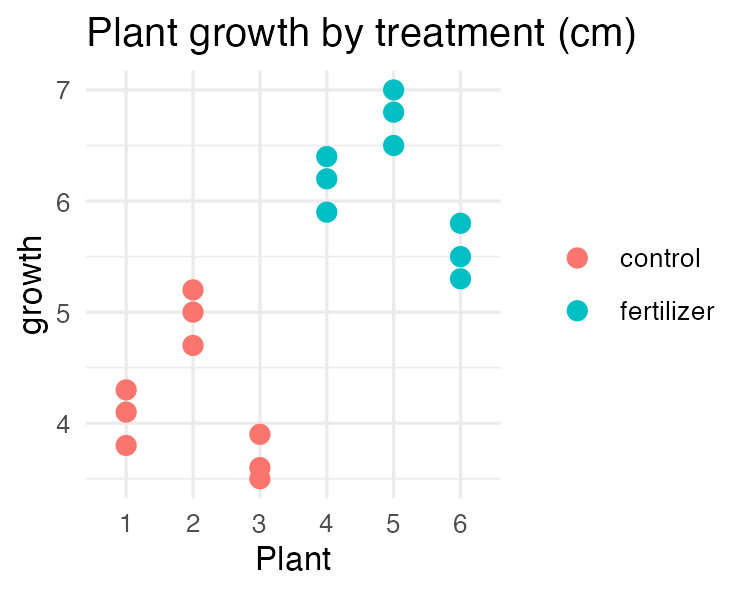
Fertilizer trial: each plant appears three times, so there are three plants per group, not nine independent measurements – pseudoreplication.
⌨️ 14_evals
Run the eval. It grades GPT 6 Luna and Claude Haiku 4.5 on the same three cases.
Open the viewer. Compare the responses and the grader’s explanations.
Which artifacts did each model flag?
07:00
Prompt engineering
Three best practices
Put prompts in Markdown files.
Clearly explain what you want the model to do in the system prompt.
Provide examples of what you want.
Keep large prompts in separate files
Prompts in files are easier to read, review, and compare in version control.
⌨️ 15_quiz-game-1
Instructions
Your job: teach the model to play a quiz game with you:
The user picks a theme from a short list provided by the model.
They then answer multiple choice questions on that theme.
After each question, tell the user if they were right or wrong and why. Then go to the next question.
After 5 questions, end the round and tell the user they won, regardless of their score. Then, start a new round.
12:00
⌨️ 16_coding-assistant
Instructions
Use Claude Sonnet to write a function that gets the weather. The first time, use Claude on its own.
Do some basic research for Claude about how to use a specific package to get the weather.
How does Claude do with the same task now?
06:00
Wrap-up
Recap
- Prompt engineering is the art and science of crafting effective prompts to get the desired output from LLMs
- Use the best models, clear system prompts, and examples to improve results
- Prompt engineering is an iterative process that often requires experimentation and refinement
- Use {vitals} to systematically evaluate LLM outputs and compare different prompts, models, or agents
- Many techniques and best practices exist to help you get the most out of LLMs
Acknowledgments
- Materials derived in part from Programming with LLMs and licensed under a Creative Commons Attribution 4.0 International (CC BY) License.