Tool calling + agents
Lecture 22
Cornell University
INFO 5001 - Fall 2026
November 12, 2026
Announcements
Announcements
- Homework 06
Learning objectives
- Identify the value of calling external tools from LLMs
- Define and call tools using {ellmer}
- Define an AI agent
- Identify the basic tools for AI agents
- Implement a simple AI agent in R
- Provide an AI agent with skills to complete a task
Application exercise
ae-20
Instructions
- Go to the course GitHub org and find your
ae-20(repo name will be suffixed with your GitHub name). - Clone the repo in Positron, run
renv::restore()to install the required packages, open the Quarto document in the repo, and follow along and complete the exercises. - Render, commit, and push your edits by the AE deadline – end of the day
🔓 Decrypt the .Renviron.secret → .Renviron
source("secret.R")- The special phrase is:
info-5001
Tool calling
A robot wearing a tool belt, selects a tool from a wall of futuristic space tools. A sign above the wall reads “Tools”.
Recall: How do LLMs work?
You write some words
The LLM writes some more words
You use those words
On their own, can LLMs… access the internet? send an email? interact with the world?
Let’s try it
Tools
a.k.a. functions, tool calling or function calling
- Bring real-time or up-to-date information to the model
- Let the model interact with the world
- Foundation for agentic AI
Chatbot systems
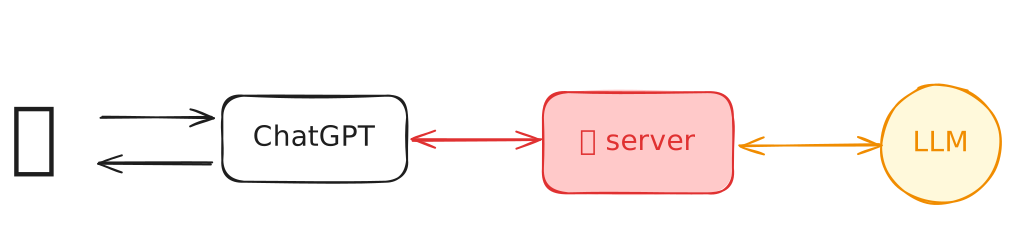
user vs. programmer


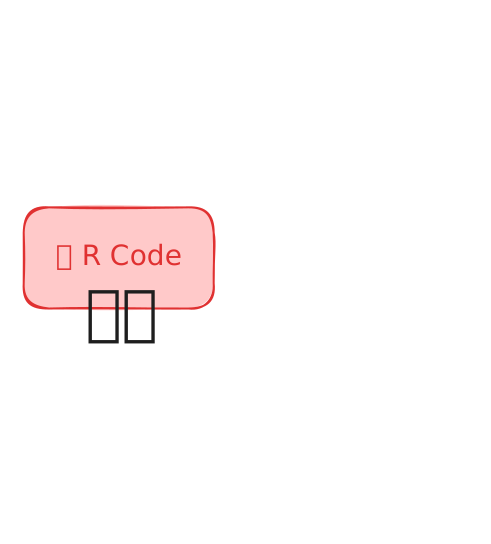
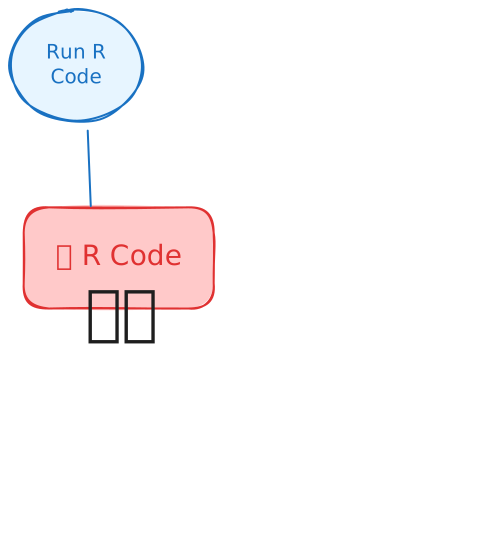
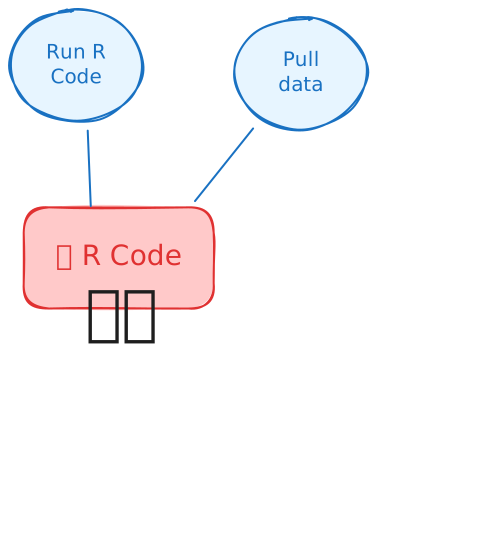
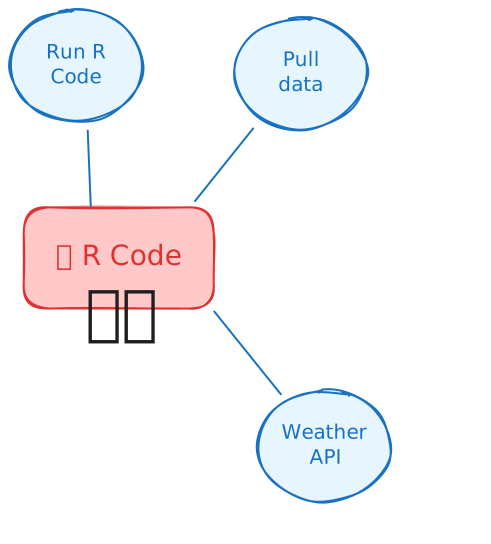
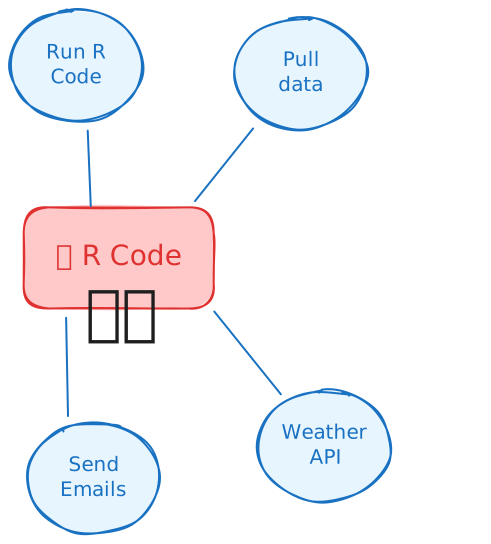
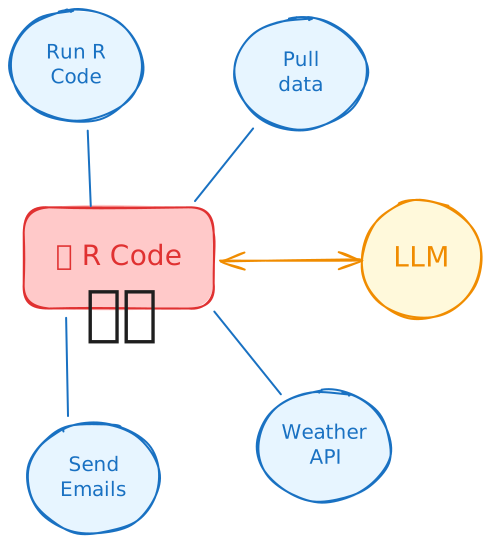
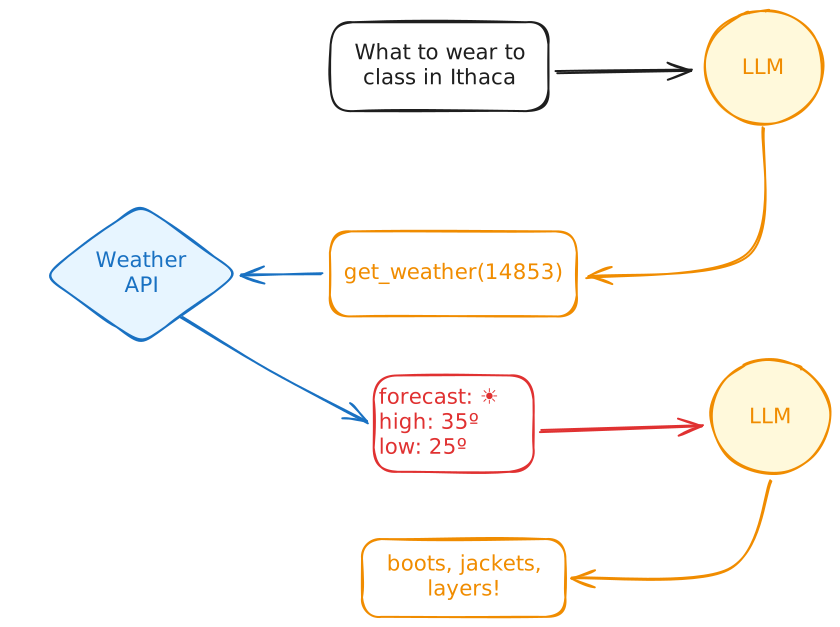
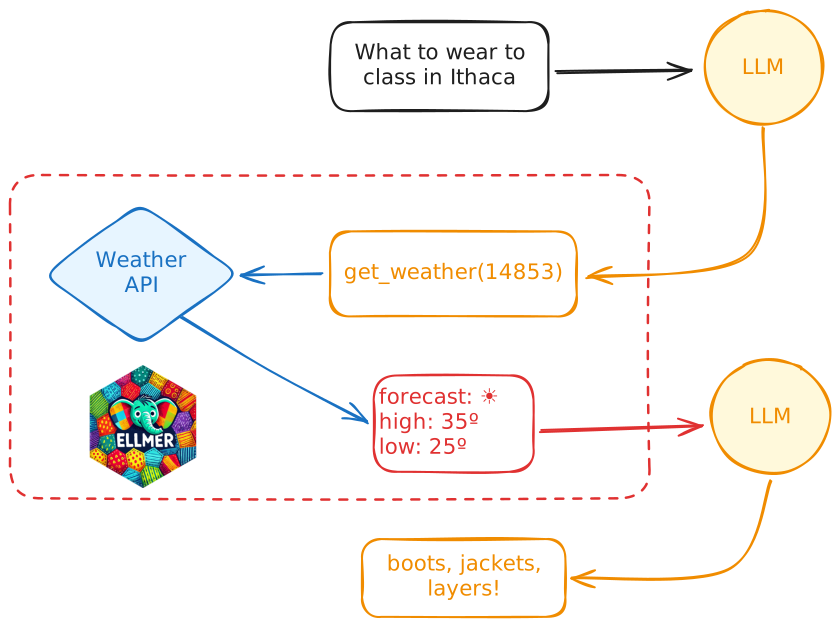
How do tool calls work?
What should I wear to campus tomorrow?
Human in the loop
👨💻 _demos/18_manual-tools/app.R
Wait… I can write code!
tool(
  weathR::point_forecast,
  name = "point_forecast",
  description = "Retrieve point forecast meteorological data.",
  arguments = list(
    lat = type_number("Latitude."),
    lon = type_number("Longitude."),
    timezone = type_string(
      "An Olson timezone name. Defaults to -1 for local time.",
      required = FALSE
    ),
    dir_numeric = type_boolean(
      "Whether to return directions as numeric values rather than character values. Defaults to
FALSE.",
      required = FALSE
    )
  )
)
Wait… I can write code!
Wait… I can write code!
Simple feature collection with 156 features and 8 fields
Geometry type: POINT
Dimension:     XY
Bounding box:  xmin: -76.4953 ymin: 42.4397 xmax: -76.4953 ymax: 42.4397
Geodetic CRS:  WGS 84
First 10 features:
                      time temp dewpoint humidity p_rain wind_speed wind_dir        skies
1  2026-11-12 09:00:00 EST   46 7.222222       96     79          3       NE Rain Showers
2  2026-11-12 10:00:00 EST   47 8.333333      100     89          5       NE Rain Showers
3  2026-11-12 11:00:00 EST   48 8.888889      100     96          6        N Rain Showers
4  2026-11-12 12:00:00 EST   48 8.888889      100     98          7        N Rain Showers
5  2026-11-12 13:00:00 EST   49 8.333333       93     90          8        N Rain Showers
6  2026-11-12 14:00:00 EST   48 7.777778       93     90          9       NE Rain Showers
7  2026-11-12 15:00:00 EST   47 7.222222       93    100          9        N Rain Showers
8  2026-11-12 16:00:00 EST   46 6.111111       89     91          9        N Rain Showers
9  2026-11-12 17:00:00 EST   44 5.555556       93     86          9        N Rain Showers
10 2026-11-12 18:00:00 EST   42 5.000000       96     85          9        N Rain Showers
                   geometry
1  POINT (-76.4953 42.4397)
2  POINT (-76.4953 42.4397)
3  POINT (-76.4953 42.4397)
4  POINT (-76.4953 42.4397)
5  POINT (-76.4953 42.4397)
6  POINT (-76.4953 42.4397)
7  POINT (-76.4953 42.4397)
8  POINT (-76.4953 42.4397)
9  POINT (-76.4953 42.4397)
10 POINT (-76.4953 42.4397)
Wait… I can write code!
chat <- chat_openai(model = "gpt-6-luna", echo = "output")

# Register the tool with the chatbot
chat$register_tool(get_weather)

chat$chat("What should I wear to class tomorrow in Ithaca, NY?")
● #> [{"time":"2026-11-12 09:00:00 EST","temp":46,"dewpoint":7.2222,"humidity":96,"p_rain":79…
#> Tomorrow in Ithaca looks **cold and wet**, around **32–39°F**, with rain/snow
#> possible—especially in the morning.

#> Wear a **warm base layer and sweater under a water-resistant coat**, plus **long pants
#> and waterproof shoes or boots**. Bring an **umbrella** or hood, and consider gloves
#> if you’ll be walking early. The sidewalks may be slick.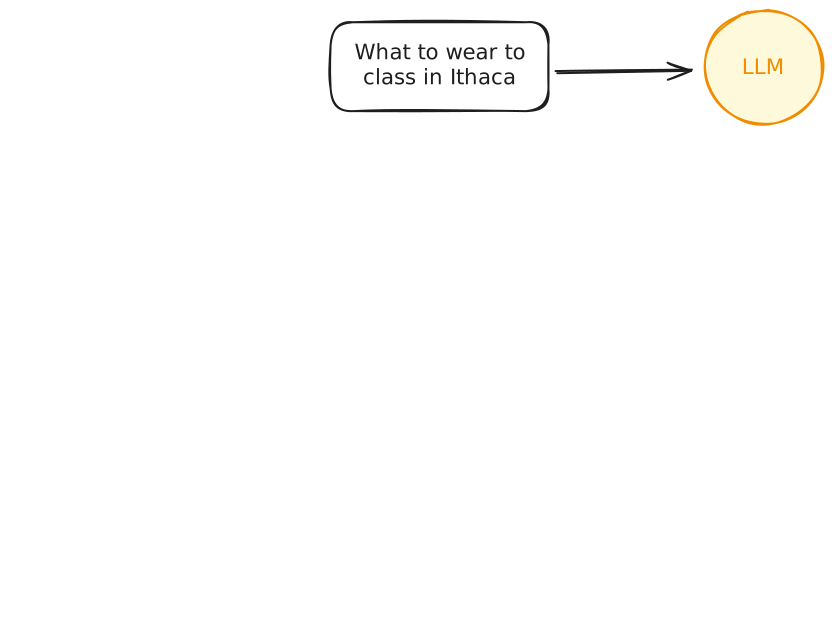
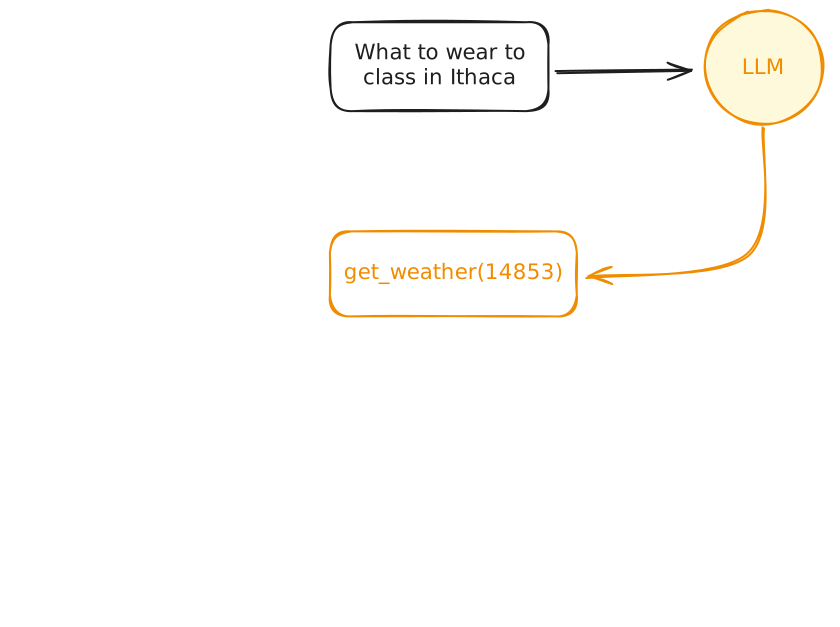
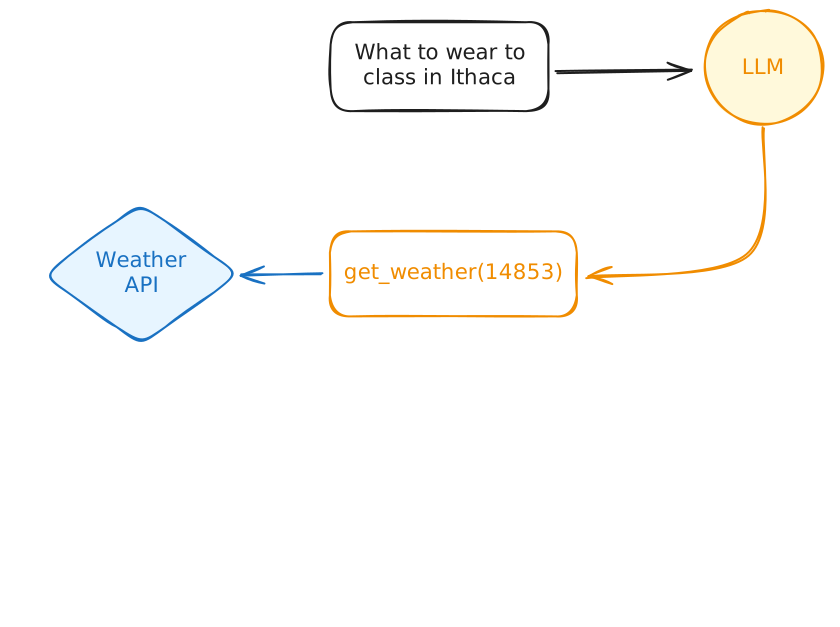
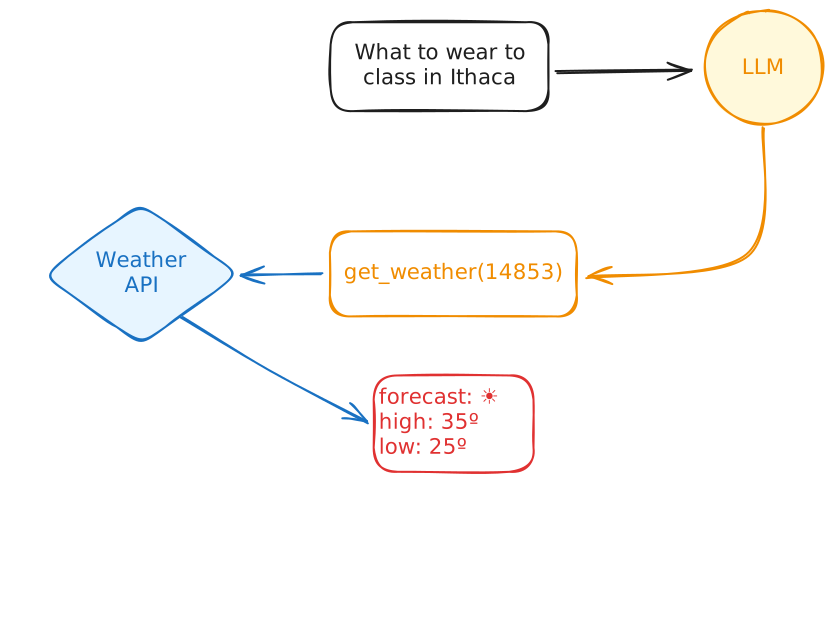
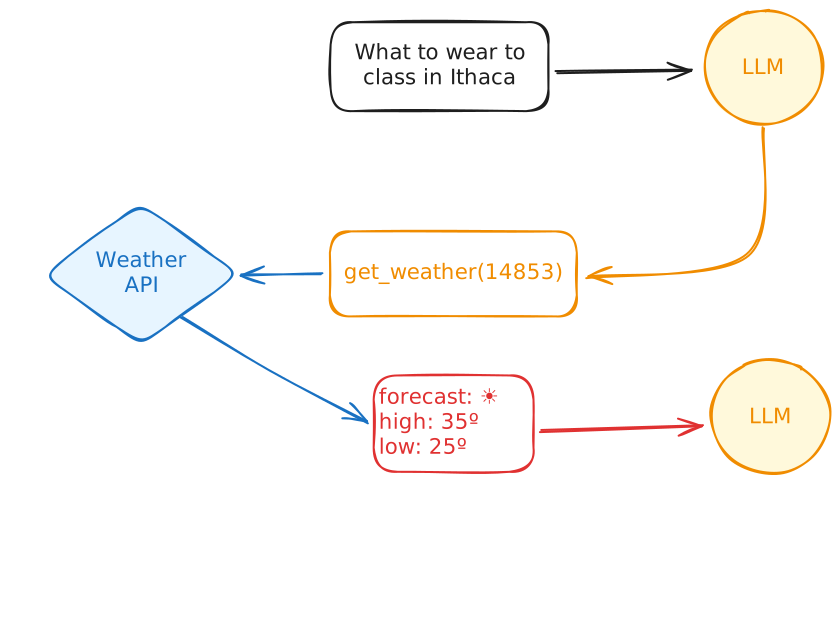
Recap: Tool definitions in R
Agents
Agents
What’s an agent?
An LLM, in a harness, that calls tools repeatedly in a loop
Deciding each next step from the last result
How many tools does it take to make an agent?
What kind of tools?
Read tools to observe the world
Write tools to change it
The agent loop
Explore: the agent reads to understand the world
Act: the agent writes to change it
Observe: the agent reads again to see what changed
…and repeat until the task is done
Brainstorm: tools for agents
Read tools
- Read a file
Write tools
- Write a file
Oh, and prompting!
Blockbuster Agent
Welcome to the Last Blockbuster
You work at the Last Blockbuster in the universe, in Bend, Oregon.
The store runs on its annual membership renewal drive.
Your job is to find members who have gone quiet and win them back.
⌨️ 19_agent-1
Your agent works in the Last Blockbuster’s records folder.
Wrap up a read tool and a write tool for it to use, then ask it to build the win-back list.
Run the script it writes, then inspect the trace. Did it read the store rules before it wrote code?
05:00
Discussion: Did your agent…?
Read
README.mdandnotes.mdbefore it decided anything?Write a script, instead of reading all 1,500 rentals through its tools?
Say things about the store’s rules that it never actually read?
Would you hand this list to your manager?
If you ran the code: how many lapsed members did it find?
⌨️ 20_agent-2
Give your agent a list files tool and an edit tool.
Build the win-back list script again. Do these tools make your agent more effective?
Your manager found an old paper register!
Without naming the file, ask the agent to bring the list up to date.
05:00
Discussion: Did your agent…?
Write a better
find_lapsedscript than in the last exercise, even before the export arrived?Use
list_filesto find the export, instead of guessing the filename?Patch the
find_lapsedscript withedit_file, or rewrite the whole script?Hit an
edit_fileerror — and was the error loud and safe?Still get the right answer even when it skipped a tool?
Agents, recap
An agent is an LLM, in a harness, calling tools in a loop
Read tools observe; write tools change
The harness does the busy work — you write the tools and the system prompt
Agent Skills
Agent Skills
SKILL.md
Anatomy of a skill
Progressive disclosure
Discovery
the agent starts withnameanddescriptionActivation
when it decides to, the agent reads the fullSKILL.mdExecution
after that, it’s in the agent’s robot hands
Why not just use the system prompt?
System prompt
instructions for every session
Skills
on-demand instructions
System prompt vs. user prompt
Short answer: Put instructions and background knowledge in the system prompt.
Put the current task in the user prompt.
The scene: win-back letters
Your win-back work paid off and found three Founders members we really want to keep. Your job is to write those letters.
| Member | Tier | Last rented |
|---|---|---|
| Elaine Wu | Founders | The Princess Bride |
| Theo Bennett | Founders | The Matrix |
| Marisol Vega | Founders | The Goonies |
⌨️ 21_skills-1
Your Blockbuster agent gets a skill:
renewal-lettersholds the letter-writing instructions.List the skill in the system prompt, and give the agent a tool to read it.
Draft letters for the top three lapsed members. Watch the agent read the skill before it starts drafting — and check them against the scene we just saw.
05:00
Discussion: Did your agent…?
Read the skill before it drafted a single letter?
Pick the right top three members from
lapsed.csv?Invent tier facts — a Founders perk for someone who isn’t one?
Mention overdue fees, even though the skill forbids it?
Leave the data files untouched?
Writing a skill that works
Add what the agent lacks; omit what it knows
The description is the trigger
Concrete beats generic
Keep it short
⌨️ 22_skills-2
The skill has been swapped for a first draft with common problems.
Use the diagnostic questions to fix
SKILL.md, then re-run the letter task.Compare: same agent, same tools, different skill, different letters and token spend.
05:00
Discussion: Did your agent…?
Pick
renewal-lettersfirst, out of the four skills on offer?Read a second skill before it started writing?
Follow the bad skill’s rules straight past the letter checklist?
Treat a vague description as a reason to hedge?
Write the same letters before and after your fix?
Skills in the ecosystem
npx skills add
Can you install the skill from…
Skills, recap
A skill is 📂 with
SKILL.md: metadata plus instructionsProgressive disclosure: descriptions init, body on demand
Same format in Claude Code, Codex, Posit Assistant
Wrap-up
Recap
- Tool calling lets LLMs access real-time information and interact with the world
- We can define tools in R using {ellmer}
- An AI agent is an LLM in a harness that calls tools repeatedly in a loop
- Agents need read tools to observe and write tools to change
- Skills are a way to give agents deep expertise without bloating the system prompt
Acknowledgments
- Materials derived in part from Programming with LLMs and licensed under a Creative Commons Attribution 4.0 International (CC BY) License.